# Add/Modify Inventory Items Type
On this screen you create an inventory items type or change its details.
**How to get here:** **Add** or **Modify** button on the [Inventory Items Type](https://docs.pizzagest.com/books/pizzagest-O9f/page/inventory-items-type) screen.
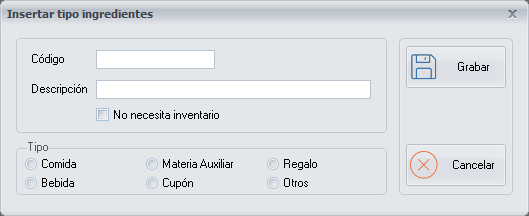
## Details of the inventory items type
- **Code**: the initials of the inventory items type.
- **Description**: the name of the inventory items type.
- **No inventory needed**: tick it for the inventory items types whose expenses you want to see in the [delivery notes](https://docs.pizzagest.com/books/pizzagest-O9f/page/vendor-invoices) and **Reports**, but which do not need to appear in the [inventory](https://docs.pizzagest.com/books/pizzagest-O9f/page/inventories) because they are not essential goods.
Example. Cleaning products do not need inventory.
## Type
In addition, tick the type of inventory item that applies.
Only the inventory items types Food, Drink and Auxiliary material can be part of a recipe.