
Google Analytics
The ordering website measures what its users do with Google Analytics 4 (GA4), through Google Tag Manager (GTM). Universal Analytics properties stopped processing new data on 1 July 2023.
The GTM container
A container is the space in Google Tag Manager from which the tags that send the information are fired. The one for your website holds the GA4 tags and has an ID, to which everything configured in GTM is linked.
- PizzaGest sets up the container, gives you its ID and enables the e-commerce events recommended by Google.
- To enable an external event, such as the Facebook pixel, go into the container and enable it yourself.
- If you work with a marketing agency, give them the container ID so that they can enable their events.
Events
An event measures a specific interaction on the website or in the app. These are the e-commerce events recommended by Google:
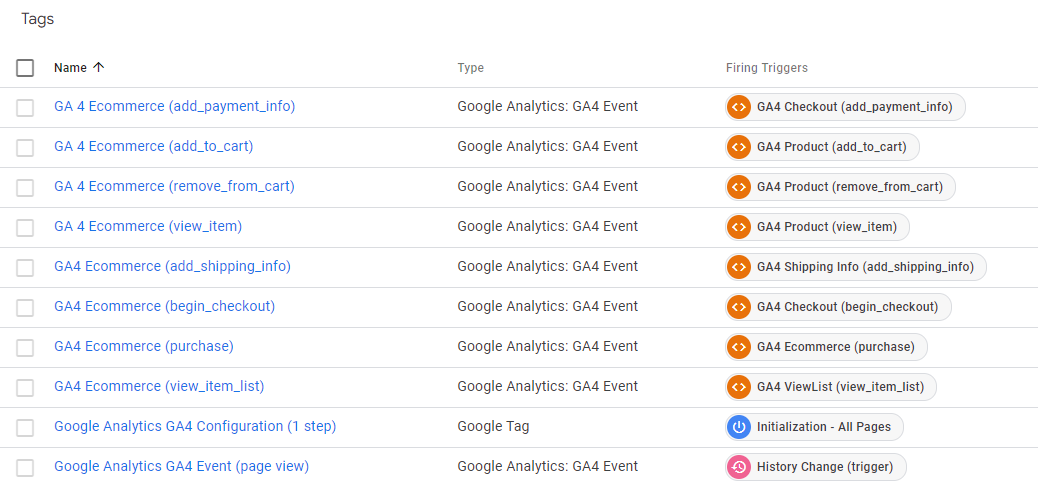
| Event | What it measures |
|---|---|
add_payment_info |
The user adds their payment details |
add_to_cart |
An item is added to the cart |
remove_from_cart |
The user removes one or more items from the cart |
view_item |
A product on the menu is viewed |
add_shipping_info |
The user submits their shipping details |
begin_checkout |
The user starts the checkout |
purchase |
The user clicks the buy button |
view_item_list |
A list of products is shown to the user |
page_view |
Each page the user opens |
Reports
The events can be seen in the reports of the Google Analytics account. Sign in with the Gmail account you gave PizzaGest to set up the website.
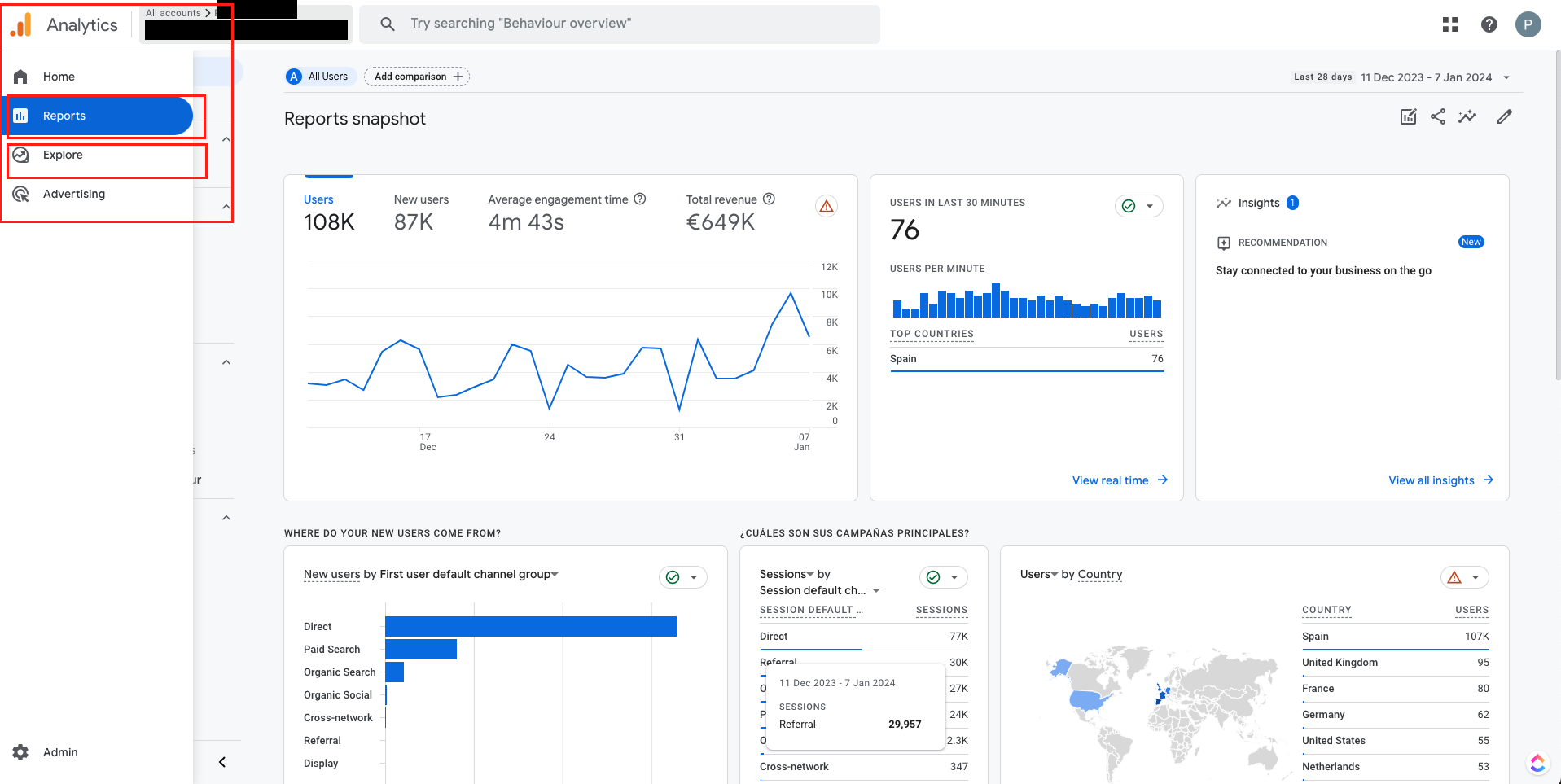
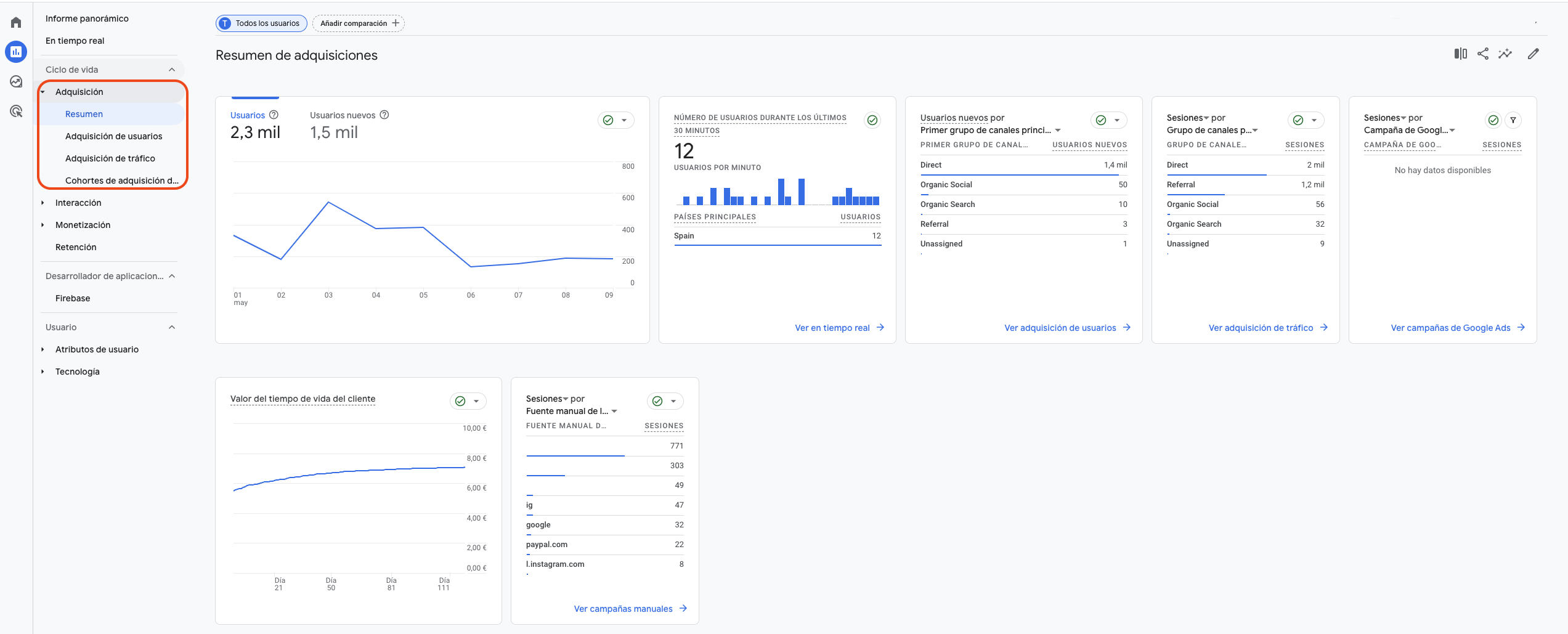
Reports has three sections.
Acquisition
| Report | What it is for |
|---|---|
| User acquisition | Knowing how new users find the website or the app. More information |
| Traffic acquisition | Knowing where users come from and measuring the reach of campaigns. More information |
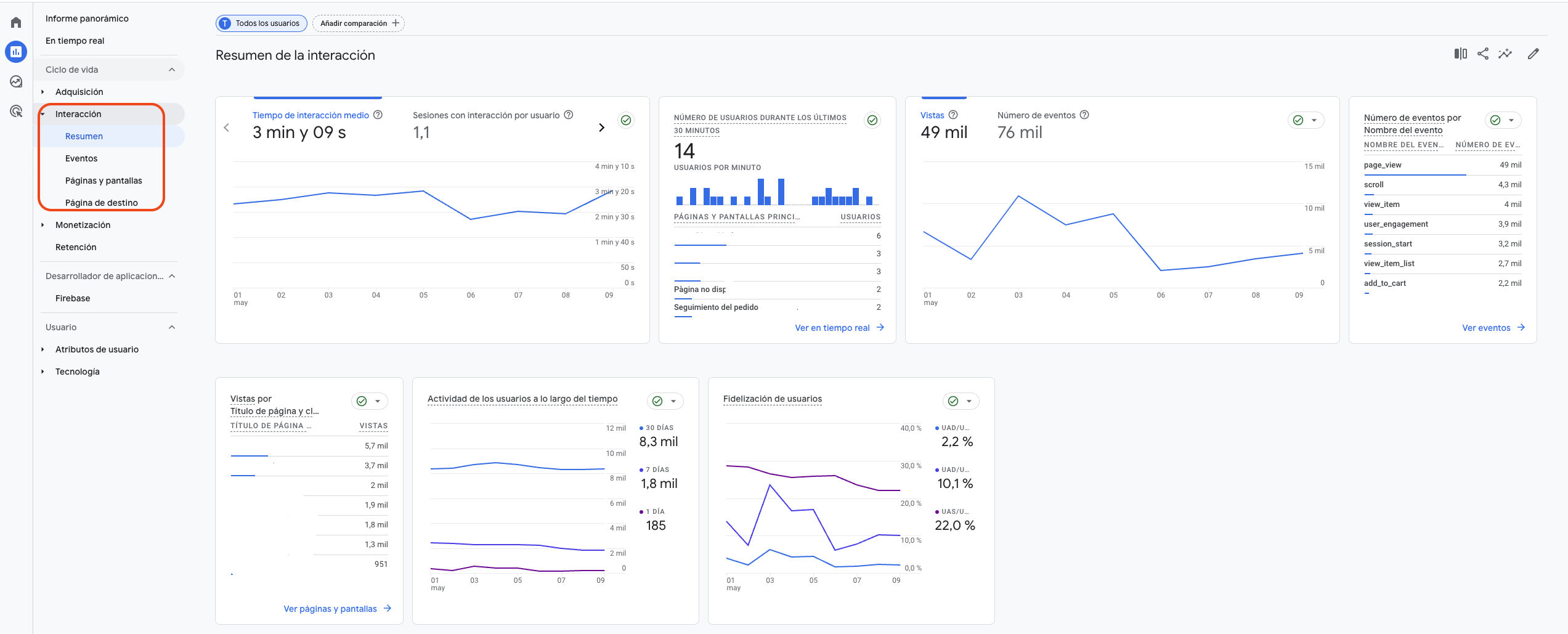
Engagement
Engagement shows how the user uses the website or the app: the screens they see, the time they spend on them and the events that are triggered.
Monetisation
| Report | What it is for |
|---|---|
| E-commerce purchases | Seeing the products sold on the website or in the app. More information |
| Purchase journey | Seeing at which stage of the purchase the user drops off, and so looking for the reason orders are not completed, for example a high price. More information |
| Checkout journey | Seeing the user's steps at each stage of the checkout |
| In-app purchases | Seeing the products sold and the revenue from a specific product. More information |
| Promotions | Seeing the effect of promotions on purchases. More information |
