
CMS - Resources
To access the resource management section, go to the WEB CMS menu in the central panel.

Then go to the RESOURCES menu.

Once in RESOURCES, the sidebar shows all the sections available for viewing and editing resources: Banners, Payment methods, Ingredients, Logos, Products, Promotions, and Miscellaneous.

Selecting a source
Once a resource type is selected, if that resource has no data, the screen will show "No data available".
Example: Resource: Banners - Source: AI

If resources are available instead, the following options appear on screen:
- Source dropdown: to select which source to display (Web, App, Kiosk, Store, JustEat, UberEats, Stuart, Tablet, etc.).
Example: Resource: Banners - Source: Web

Search filter and parameters
- Search filter: to search within the displayed table.
Example: Resource: Banners - Source: Web
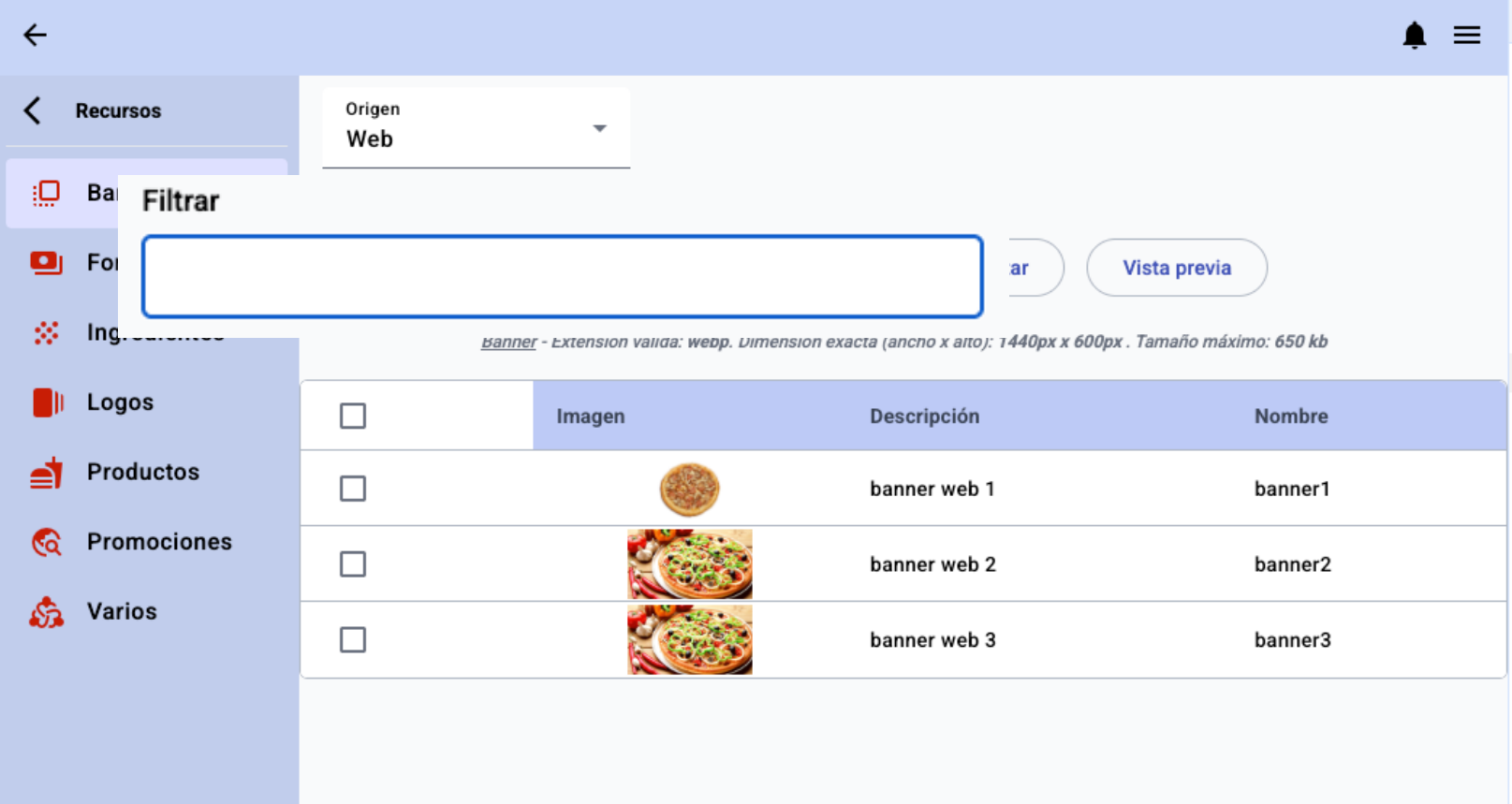
- Supported parameters for the selected resource, depending on the chosen source.
Example: Resource: Banners - Source: Web

Example: Resource: Payment methods - Source: Web

If no parameters are defined, the following message appears and those resources cannot be edited unless you contact the administrator: "To edit these resources, please contact your administrator".
Editing resources
Example: Resource: Banners - Source: Web

If the file is valid, the Save button becomes enabled. If it saves without any errors during upload, a confirmation message appears.


If the file is not valid, a "Invalid format" message appears showing the incorrect parameters of the file.

Preview and formats
Example: Resource: Banners - Source: Web


Example: Resource: Promotions - Source: Web
