
Hubs
After signing in, you say which hub your vehicle is at and which vehicle it is.
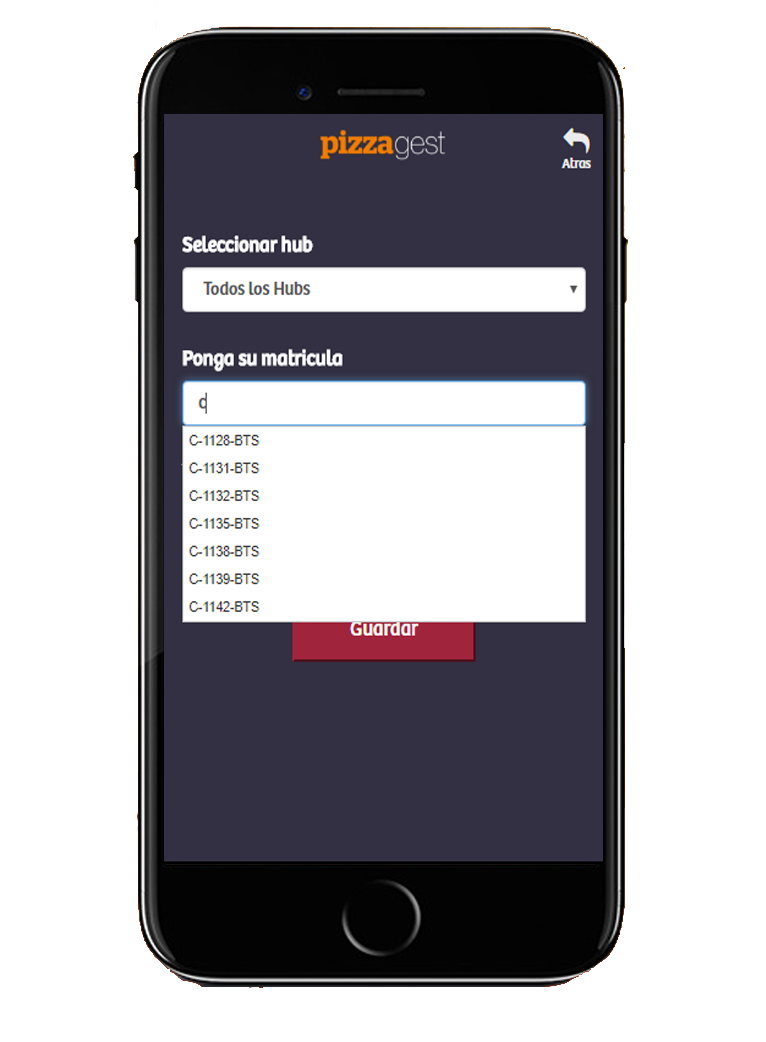
- Under Select hub, choose the hub where the vehicle is.
- Under Enter your number plate, type the number plate and choose it from the list that appears.
- Under Odometer value, type the kilometres shown on the vehicle.
- Tap Save.
The number plate must be chosen from the list; typing it is not enough. This avoids mistakes.