
Add Employee
On this screen you choose the employee you want to add to the schedule.
How to get here: Add Employee or Add MANUAL button on the Schedule management screen, on the THEORETICAL Schedule or REAL Schedule tab.
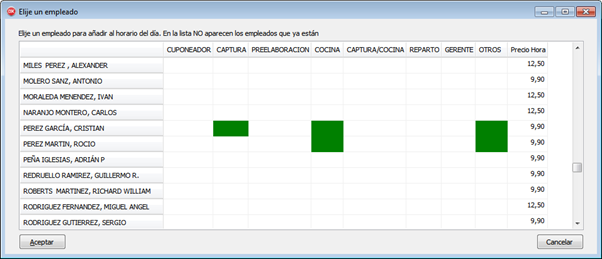
Depending on the button you clicked, the screen is filled in differently and you have different options.
Add Employee
The screen shows the employees who have not yet been used in the schedule.
If you select an employee and click Ok, the program tries to add them to the schedule. To do so, it goes through all the time intervals and checks in each one:
- whether there are staff needs still to be covered;
- whether the employee is competent, according to the jobs specified on the Employee Jobs screen.
Add MANUAL
Lets you select any employee, whether or not they have already been used that day.
When you select an employee and click Ok, the Choose Employee Data screen appears.
Buttons
- Ok: confirms the selected employee. What happens next depends on the button you opened the screen with.