
Copy Recipes
This function makes it easier to enter recipes: it copies the recipe of one sales item into another.
How to get here: Copy from… button on the Recipe of Sale Items screen.
The guide Adding an item to an existing family group explains step by step, with an example, how to copy a similar recipe and complete it.
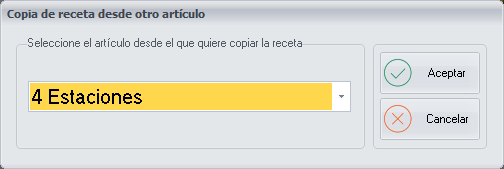
Copying a recipe
- In the drop-down list, select the sales item whose recipe you want to copy.
- Click Ok.
A quick and convenient way to enter the recipes is to start with the basic sales items, the simplest ones, for example the Base Medium Pizza. Once this item is created, every time you create a new one within the same family group, copy its recipe first. That way you only have to complete it with the additional ingredients.
Buttons
- Ok: copies the recipe of the selected sales item.