
Add/Modify Delivery Incidents
On this screen you create a delivery incident or change its details: the code and the description.
How to get here: Add or Modify button on the Delivery Incidents window.
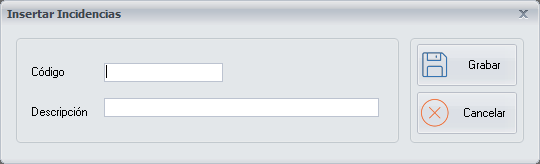
Delivery incident details
- Code: the code of the delivery incident.
- Description: the description of the delivery incident.
Buttons
- Save: saves the delivery incident.
- Cancel: closes the screen without making any changes.