
Generate Budget
From this screen you generate the budget of a specific month.
How to get here: Generate Budget button on the Budget monitoring screen.
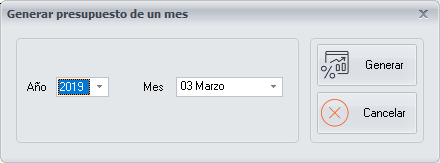
Generating the budget of a month
- Choose the year and the month.
- Click Generate.
The Budget monitoring screen shows the list of the days of that month, so that you can enter the estimated sales of each one.
Buttons
- Generate: generates the budget of the chosen month.