
Add/Modify Areas
On this screen you create an area or change its data: code, description and the street map it belongs to.
How to get here: menu Street map → Areas, Add or Modify button (Areas).
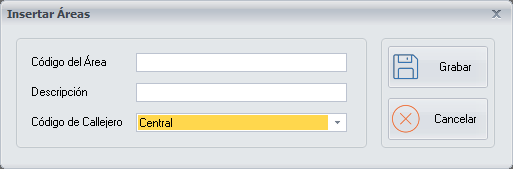
Area data
- Code: the code of the area.
- Area description: the description of the area.
- Street map: choose from the drop-down list the street map you link to the area.
When you have finished setting up the area, click Save.
Buttons
- Save: saves the area.
- Cancel: closes the screen without making any changes.