
Add/Modify Employees in Master
On this screen you register an employee in the employee's master or change the employee's data: personal, contact and employment data.
How to get here: the Add or Modify button on the Employee's Master screen.
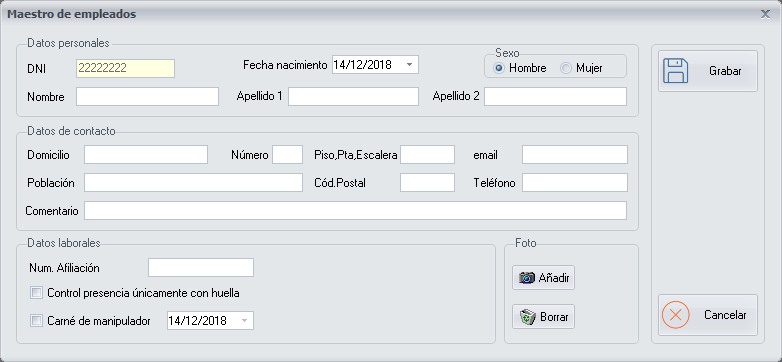
Personal and contact data
Fill in the employee's Personal data and Contact data.
Photo
You can also add a Photo of the employee.
Employment data
Buttons
- Save: saves the data of the form.
- Cancel: closes the screen without making any changes.