
Customer Points
On this screen you modify the number of points of one customer or of all the customers at once.
How to get here: Customer points button on the Customers screen.
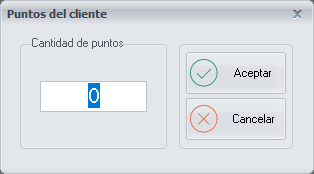
Modify the points
The change is applied to a single customer or to all of them at once, depending on the option you chose beforehand.
- Enter the number of points.
- Click Ok.
Buttons
- Ok: saves the number of points.
- Cancel: closes the screen without making any changes.