
Print Batches
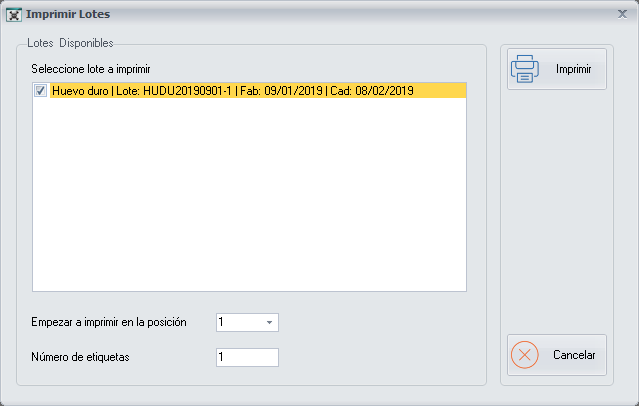
From this screen you generate a label for each inventory item produced, which is called a Batch. The label shows the batch code, the production date and the expiry date.
How to get here: Batch Labels button on the Recipe Production screen.
Printing the labels
- Select the batch or batches you want to print.
- Indicate the position from which you want to start printing the labels.
- Indicate the number of labels to print.
- Click Print. A Report is generated with all the labels to print from the indicated position.
The labels are printed on Apli sheets of 2 columns with 8 labels in each column. You indicate the starting position because you may already have used some labels of the sheet.
Buttons
- Print: generates the report with the labels.
- Cancel: closes the screen without making any changes.