
Add/Modify Employee Incidents
On this screen you create an employee incident or change its data: the name and the score.
How to get here: the Add or Modify button on the Employee Incidents screen.
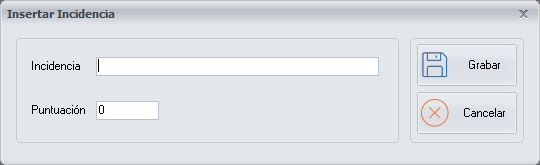
Incident data
- Incident: the name of the incident.
- Score: the score, which is the penalty value you consider appropriate for each incident.
Buttons
- Save: saves the incident you have added or modified.
- Cancel: closes the screen without making any changes.