
Add/Modify Employees in Branch
On this screen you register an employee in the branch or change the employee's data: the general data, the entry and end dates, the professional standing and the work shift.
How to get here: the Add or Modify button on the Branch Employees screen.
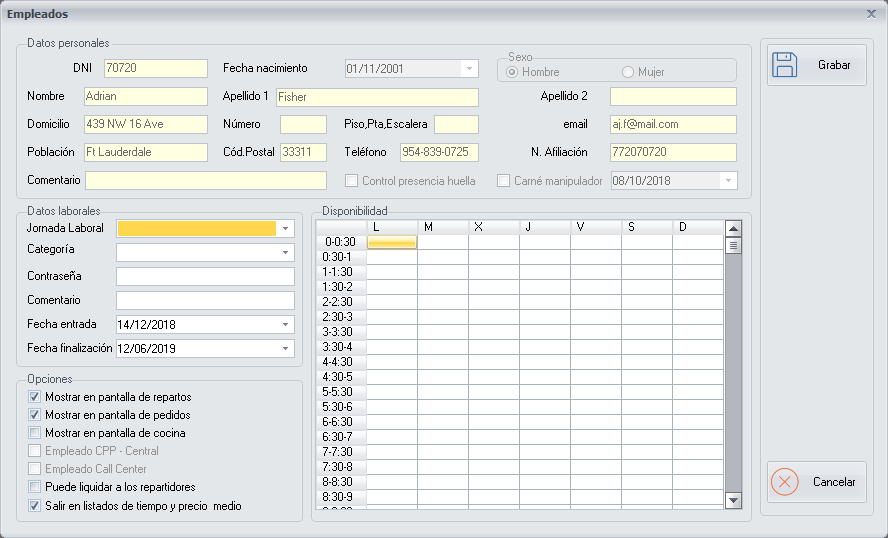
General data
It shows general data such as the DNI, Name, First surname, Second surname and Phone.
Other data
- Entry date: the date on which the employee was registered in the system, so that the employee can start using it.
- End date: the date on which the employee will be deregistered from the system. From then on the employee can no longer use any function.
- Professional Standing: the employee's professional standing, which is defined on the Professional Standings screen.
- Work Shift: the employee's work shift, which is defined on the Work Shifts screen.
End date. Normally a long-term end date is set. When the employee stops working for the company, change the date to the day the employee is deregistered.