
Add/Modify Rainy Days
On this screen you state whether a day was rainy all day or only in one of the two time slots. This information is important for setting up the Incentives to Drivers.
How to get here: Add or Modify button on the Rainy Days Calendar window.
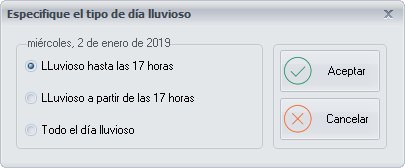
Type of rainy day
Tick the option that corresponds to the day:
- Rainy until 17:00
- Rainy from 17:00
- Rainy all day
Buttons
- Ok: saves the ticked option.
- Cancel: closes the window without saving the changes.