
Add/Modify Inventory Items Type
On this screen you create an inventory items type or change its details.
How to get here: Add or Modify button on the Inventory Items Type screen.
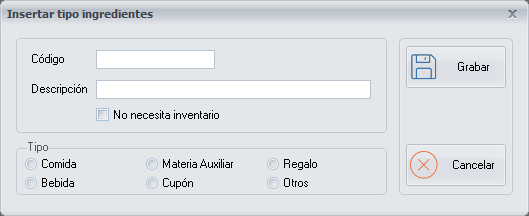
Details of the inventory items type
- Code: the initials of the inventory items type.
- Description: the name of the inventory items type.
- No inventory needed: tick it for the inventory items types whose expenses you want to see in the delivery notes and Reports, but which do not need to appear in the inventory because they are not essential goods.
Example. Cleaning products do not need inventory.
Type
In addition, tick the type of inventory item that applies.
Only the inventory items types Food, Drink and Auxiliary material can be part of a recipe.