
Choose Branch
On this screen you choose one or more branches from the list. In the screenshot, the window is titled "Choose the branches in which it will be saved".
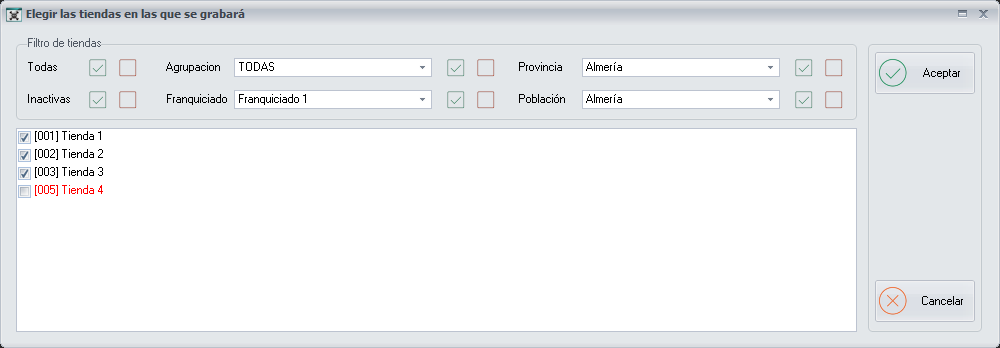
Filters
In the Branch filter block, each filter has two buttons to its right:
- All
- Inactive
- Grouping: drop-down list to choose the branch grouping.
- Franchisee: drop-down list to choose the franchisee.
- State/Province: drop-down list to choose the state/province.
- City: drop-down list to choose the city.
List of branches
Below the filters is the list of branches, each one with its code and its name (for example, [001] Branch 1) and a box to tick it.
Buttons
- Ok: confirms the ticked branches.
- Cancel: closes the screen without choosing any branch.